AlumDeck

For developers & agencies

Six screens. Then hand over.

Someone asked you for an alumni portal for a school, a college or an association. The client is on shared hosting with no shell, and the budget is mostly your time. AlumDeck is the finished application: Laravel 13 and Filament 5, a browser installer that works where Composer cannot, and an admin panel the client runs without you. $49 a year per live site.

Things you can check for yourself

  • Admin sign-in, no form

    The demo admin account opens every settings screen.

    Open the demo
  • The install guide

    Six screens, one cron line and the cPanel details.

    Install guide
  • The docs

    Requirements, settings and troubleshooting.

    Docs
  • Security controls

    Each control, with how you can check it.

    Security
  • Dated releases

    What changed in every release, and when.

    Changelog

The stack

What it runs on and talks to, exactly.

A conventional Laravel application: 275 PHP files in app/, 24 migrations and seven production dependencies. If you have shipped Laravel before, nothing here will surprise you.

  • cPanel shared hosting

    Or any server with PHP 8.3 or newer. No SSH, Composer or Node on the server.

  • MySQL or MariaDB

    The only databases supported. The installer creates and drops a probe table to prove it can.

  • One cron line

    schedule:run every minute drives 11 jobs, from event reminders to the 02:30 backup.

  • Any SMTP server or sendmail

    Set on the Mail settings screen, with a test button. The password is stored encrypted.

  • Cloudflare Turnstile

    An optional bot check on join, contact and sign-in forms. The keys go in .env.

  • RSS, sitemap and JSON-LD

    A news feed, sitemap.xml, robots.txt and schema.org data for search engines.

  • Your domain or a subfolder

    Runs wherever it is installed; the manifest and service worker follow a subfolder.

  • CSV in and out

    Member import with a dry run; exports with formula-injection defence.

Does not connect to yet

  • Payment gateways Planned: release 1.2
  • A REST API and webhooks Planned: release 2.0
  • Single sign-on (SAML, OIDC) Planned: release 2.0
  • CRM or student-records sync
See the roadmap

Requirements and install

What the server needs, and the five steps.

A pre-framework check runs before Laravel boots, so a host missing part of mbstring gets an explanation rather than a white screen.

Checked on screen 2 of the installer
RequirementWhat AlumDeck needs
PHP8.3.0 or newer
Extensions (14, required)pdo, pdo_mysql, mbstring, openssl, tokenizer, xml, dom, ctype, json, fileinfo, filter, hash, session, pcre
Functions (4, required)mb_split, mb_str_split, random_bytes, openssl_encrypt
Recommendedgd or imagick, curl, zip, exif, intl
DatabaseMySQL or MariaDB, and a user that can create tables
WritableThe project root (for .env), storage and its folders, bootstrap/cache
NetworkOutbound HTTPS at install; afterwards about twice a day for the licence status check
BackupsPHP exec() allowed, and mysqldump on the server
SchedulerOne cron line running artisan schedule:run every minute
  1. Upload and unzip

    Through the cPanel File Manager or FTP. The zip already holds vendor/ and the compiled assets.

  2. Create an empty database

    In cPanel, with a user that has all privileges on it. Mind the account prefix on both names.

  3. Run the six-screen installer

    Licence key, server check, database, site and admin account, review, done. It writes .env, runs the migrations, seeds the privacy and terms templates, and fetches its own URL to prove uploads are served. Afterwards /install returns a 404.

  4. Add the cron line

    One line runs all eleven scheduled jobs: * * * * * php /home/account/alumdeck/artisan schedule:run.

    The Backups page prints the exact lines for your server, including the -d register_argc_argv=1 flag some cPanel cron PHP builds need.

  5. Set up mail, then hand over

    Enter SMTP details on the Mail settings screen and send the test email. From here branding, menus and content are the client's.

White-label settings

Everything a client asks to change is a setting.

No template edits. Also no custom CSS field, no font picker and no theme marketplace.

Branding

The client's name on every page, not ours

A wide logo and its height, a square badge, a favicon, a header subtitle and a homepage photo. Four colour pickers set the primary colour (with a generated ramp), accent, dark and surface. Look at the demo: the name on its pages is Riverside College.

  • Site name, portal name, tagline and footer blurb
  • Menus, footer columns and seven homepage block types
  • A legal-status block, plus privacy and terms templates
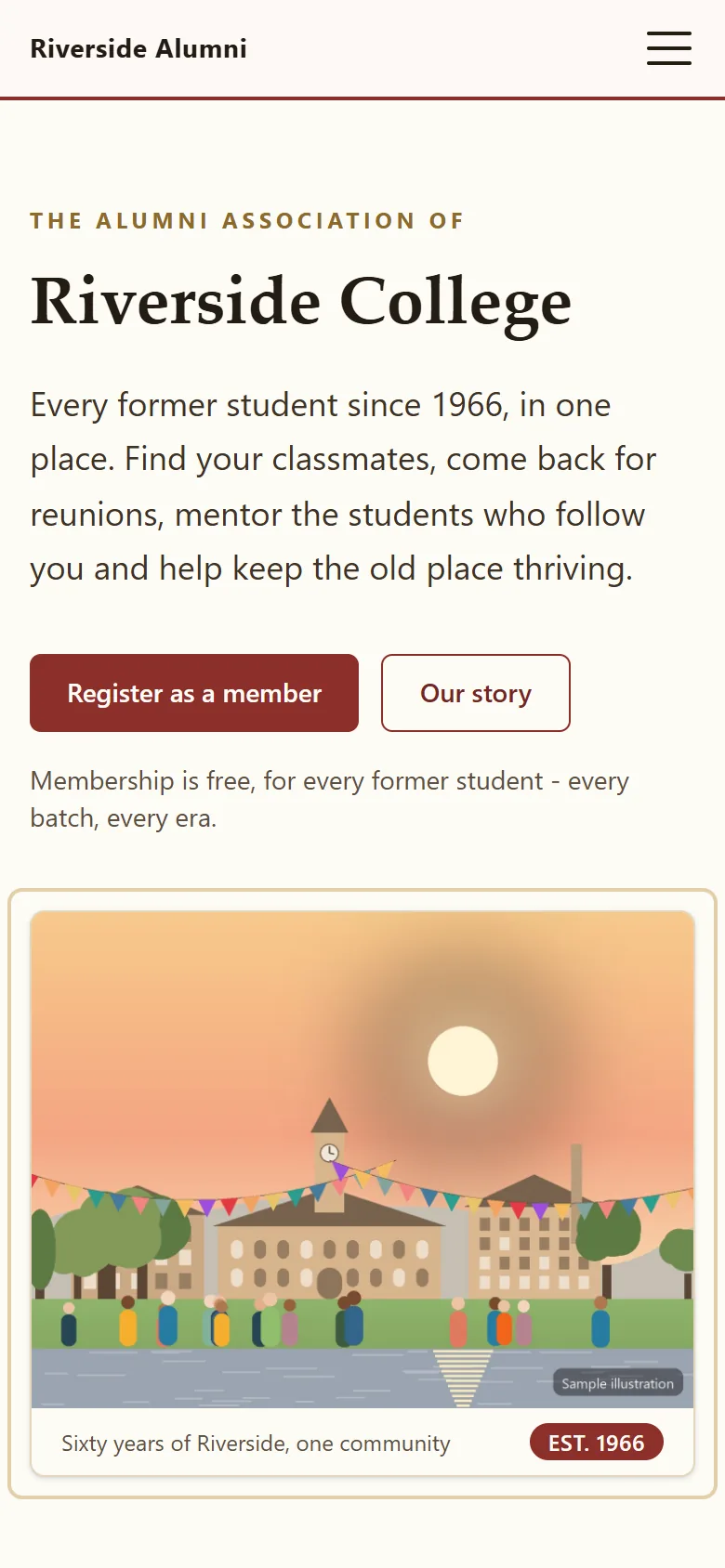
See the branded demo

Logo, badge and favicon

Four colour pickers

Admin panel

An admin the client can run without you

Three admin layouts (console, rail and atrium), a custom admin address, Command-K search across every screen and setting, and a dashboard each user can rearrange. Staff get only the areas they need out of 13.

  • Custom admin URL, checked against reserved paths
  • Admin two-factor by authenticator app or emailed code
  • Settings screens reserved for full administrators
The admin panel

Identity

Their numbering, their emails

Member and receipt numbers carry the client's prefix, receipts carry a footer such as a charity number, and email goes out under their name and address. Regional details are settings too.

  • Timezone, five date layouts, 12 or 24-hour clock
  • Currency code and symbol, default country, phone format
  • The leaving-level list and its label on the join form

The licence

One licence per live site, in the client's name.

  • $49per live site, per year
  • 1live site per licence key
  • 30days until an idle slot frees itself
  • 21days of grace after a missed renewal

Each licence key runs one live site. Four client sites need four licences, $196 a year. Moving a client to new hosting: release the slot and install on the new host; a slot that has been idle for 30 days frees itself.

Updates follow the licence: it can download every release dated on or before the end of its paid year, and renewing extends that. If it lapses, the public site keeps serving. After 21 days of grace, admin and member sign-in pause until someone renews.

The honest part

The rough edges, before you meet them on a Friday.

Backups need exec() and MySQL

The nightly backup writes a database dump, both media folders and a SHA-256 manifest outside the web root, and a weekly job restores the newest dump into a scratch database to compare row counts. On a host that disables exec() there are no backups at all. There is no backup-now, download or restore button in the admin; retrieval is by FTP or SSH.

Updates are a manual folder swap

Download the release, extract it beside the live folder, copy .env and media across, swap the folders and run the migrations. There are no automatic updates and no in-app updater yet.

Not every module switch is equal

News, events, galleries, heritage, giving, members and search switch off cleanly. Surveys, mentoring and tickets keep their member-area routes reachable by URL, and the default menu and sitemap are not module-aware; build a custom menu when you switch things off.

Turnstile keys and mail

Turnstile keys live in .env only; without them the forms still work. Mail sends nothing until someone fills in the Mail settings screen, on purpose.

Your first month

A client project, from day one to handover.

Most of the work is content and training, not code.

A typical client project
WhenYouThe client
Day 1Check the requirements, install, add the cron line, send the SMTP test.Sends the logo, the colours and the committee list.
Week 1Branding, menus and homepage blocks. Switch off the modules nobody will staff.Writes the About page and the first news post.
Week 2Member import with a dry run; staff accounts with their areas; admin two-factor on.Checks the import and approves the first registrations.
Week 3A walk-through of events, giving records and email campaigns.Publishes the first event and the first appeal.
Week 4Handover: the licence in the client's name, the backup location, the update routine.Owns the logins. You keep a note of how updates are applied.

Questions

From people who will install it

Do I need SSH or Composer on the server?

No. Upload the zip, create an empty database and run the installer in a browser. The zip ships with vendor/ installed and the assets compiled, and nothing needs Node on the server. The one place a terminal helps is applying an update, which ends with a database migration (a cron-run command works too).

Is the code encoded?

The application is readable Laravel source, apart from the licence check. You can audit it before it goes on a client's server and trace a bug yourself. It has seven production dependencies in total.

How does licensing work across several clients?

One licence per live site, at $49 a year each: four client sites are four licences. A second host is refused with the name of the host holding the slot. Buy each licence in the client's name so renewals and support follow the site.

What happens to my changes when an update ships?

Changes to core files are yours to carry forward. There is no plugin system or theme layer to hook into, so keep your work in version control and diff against each release before you apply it.

Can I install it and then hand it to the client?

Yes, and that is the usual pattern. The admin panel is built for a non-technical committee: content, branding and members are theirs. Agree before launch who holds the licence and who applies updates.

Can it run in a subfolder or on a subdomain?

Both. AlumDeck runs on whatever domain it is installed on, and the web manifest and service worker scope follow a subfolder install. Uploaded media goes in a real folder inside the document root, because many shared hosts refuse symlinks.

Your clients

Who your clients are, and what they need.

  • Alumni associations

    Volunteer committees that change at every AGM. A site the next committee inherits, with a login for every post.

    For associations
  • Colleges and universities

    An alumni office of two or three people and forty batches. No per-record or per-seat fee.

    For colleges
  • Schools

    One member of staff, a spreadsheet of leavers and a cupboard of photographs. A renewal nobody has to defend.

    For schools

Sign in as the admin and open every setting.

Branding, theme, mail, modules and backups: every screen your client would see, with sample data that puts itself back every night.

Sign-in details on the demo pageResets every night