AlumDeck

Member area and registration

AlumDeck cannot verify anyone. It helps you do it

There is no database of alumni in the sky to check against. What the product does is collect the claim, match it against whatever records you hold, let batchmates corroborate it, and hand the whole thing to a person in a tidy queue.

The public join form on the demo site, headed "Register as a member", with fields for full name, email, phone, city and country, beside a panel headed "How verification works" listing three steps: matching your batch year and roll number against surviving records, a vouch from a verified member of your batch, and a volunteer reviewing your memories.

Getting in

Five things happen between a form and an account#

  1. Step 1

    The join form

    Name, email, phone, date of birth, batch year, leaving level, roll number, city, country, profession, employer, four social links that must be secure addresses, and up to 5,000 characters of memories. That last field is the prove-you-were-there field, and it is the one reviewers read.

  2. Step 2

    Four separate consents

    Data (required), directory listing, WhatsApp and updates, each its own box. What was ticked is stored with a version stamp, a timestamp, the IP address and the browser, so a question in three years has an answer.

  3. Step 3

    Email verification

    A signed link valid for 7 days. Clicking it stamps the record and tells your registrations staff. Be aware it is a human gate rather than a coded one: the admin screen shows a confirmed column and a filter, but nothing stops an approval without it.

  4. Step 4

    Record matching and vouches

    The review screen fuzzy-matches the name and roll number against your imported historic register and shows up to eight candidates. Separately, members who left within three years of the applicant can vouch for them.

  5. Step 5

    A person approves it

    Approval creates the account and the member record with a sequential member number, copies the fields across, sets the directory flag from the consent given, writes the default privacy map and emails a set-your-password invite. Rejection requires a reason, and the applicant is told.

Two honest details about verification. There is no vouch threshold anywhere in the code: an administrator can approve an application with zero vouches and an unverified email address, and the green badge at two vouches is guidance for the reviewer. And if the invitation email fails to send, the set-password link is put in front of the admin as a notification so it can be passed on another way, rather than vanishing.

The historic register

Import the old records once, match against them forever#

If your institution still has student registers, they can be imported as a CSV, up to twenty thousand rows a run, written in batches of five hundred inside a transaction. From then on, every applicant is matched against them automatically at review time: name tokens and roll number, allowing a year either side.

This is the difference between a reviewer guessing and a reviewer reading. It is also the single most useful afternoon a committee can spend with a scanner.

Once they are in

What a member can do, and what they cannot change#

Their own profile

Name, phone, city, country, date of birth, profession, employer, four social links, a biography up to 2,000 characters and a photograph up to 4 MB.

Three switches and ten privacy choices

Listed in the directory, willing to mentor, can volunteer. Then ten per-field privacy selects, and three notification boxes for membership, community and announcements.

What they cannot edit, deliberately

Email address (an admin changes it), batch year, leaving level, roll number, member number, and every staff-only flag. An immutable batch year is what keeps the batch forums meaningful.

A dashboard, not a feed

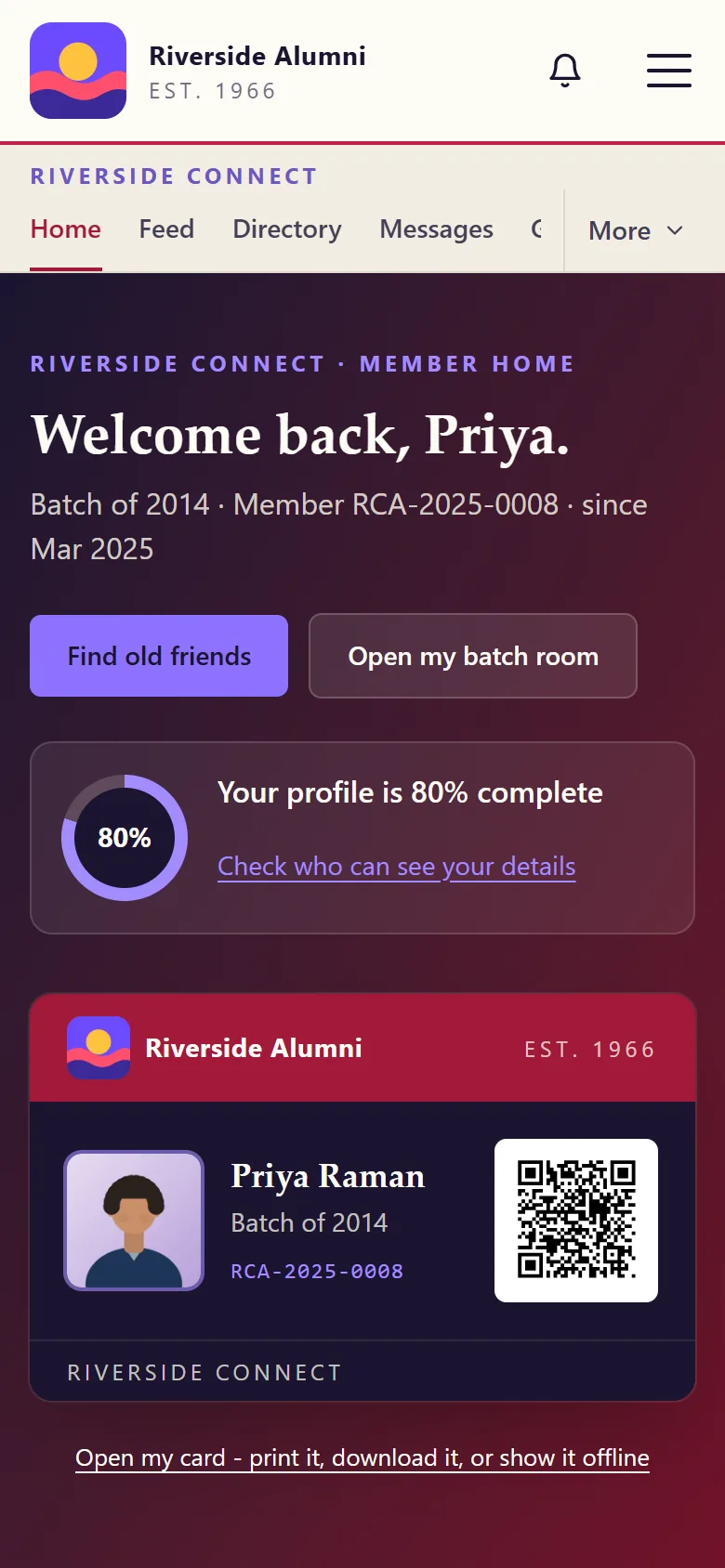
Live counts for the directory, their batch room, jobs, mentors, documents and requests, the next event, a membership card panel, and a standing invitation to vouch for a batchmate.

The member area profile screen on the demo site, headed My profile and privacy. An About panel holds filled boxes for full name, city, country, profession and organisation, an empty phone and WhatsApp box, a date of birth picker, and address boxes for LinkedIn, Instagram, Facebook and X, with a short biography box starting below them.
The member fills this in themselves. The fields an administrator controls, batch year and roll number among them, are not here to be edited.

What the member area does not have. No notification inbox, no bell, no unread counts and no activity feed: everything that would go in one is sent as email instead. No list of your tickets, RSVPs or requests on the dashboard. And the digital membership card is a styled panel, nothing more. It carries no QR code, no barcode, no wallet pass and no address that could verify it, so do not build a door policy around it.

Leaving

Export without asking, delete by asking#

A member can download their own data as JSON at any time, without a request and without an admin: account fields, the full privacy map, their original application including the consents and when they were given, their forum thread titles, their job postings and their event RSVPs. Not included: contact requests, mentorship requests, survey responses, tickets, archive submissions and vouches they gave.

Deletion is a request rather than a button. An administrator then chooses to deactivate (reversible), or to delete and anonymise, which strips the name, contact details, biography, socials, photograph and date of birth and rewrites the account to "Former member". The row survives so that forum threads do not develop holes where a conversation used to be.

Close the loop yourself. A member who asks to be deleted sees one confirmation message and then nothing: no email, no status in the member area. Until that changes, somebody on the committee should reply to them personally.

Before you go live

The bot check is not optional on a live site#

Every public form carries a hidden honeypot field and a Cloudflare Turnstile check. The honeypot needs nothing from you. Turnstile needs a free key pair from Cloudflare, set in the environment file rather than in a settings screen, and on a production install without those keys the check fails closed: joining, contacting you and member sign-in all stop working.

So put the keys in before you announce the site. It is a five-minute job and a free account, but it is the one step in the whole install that is not a form in the admin panel, and it is the one that will catch you out.

Questions about members and registration#

Can somebody sign up and be in the directory five minutes later?

No, and there is no setting that makes it possible. There is no auto-approval, no open registration and no rule that lets an address at a particular domain through. Every account is created by a committee member approving an application.

What is vouching, exactly?

Any active member can see pending applications from people who left within three years of them, and record that the applicant was a classmate, a senior, a junior or something else, with a note. One vouch per member per application. It is advisory: nothing in the code blocks an approval for want of a vouch, and the green badge at two vouches is a hint to the reviewer, not a rule.

Do members get two-factor authentication?

No. Two-factor is for admin panel accounts only. Member sign-in is email and password, with a Cloudflare bot check on the form, throttled to eight attempts a minute.

Can a member delete their own account?

They can request it, and one request can be pending at a time. An admin then chooses between deactivating (reversible) and anonymising (not reversible). They can also export their own data as JSON without asking anyone. Be aware the member gets no confirmation email and no status screen after making a deletion request, so somebody should reply to them.

Can members install it on a phone?

Yes, if you leave the app switch on. The install manifest is built from your own name, colours and icon, and it works even when AlumDeck lives in a subfolder. Turning the switch off unregisters it again.

Sign in as a member on the demo

The demo publishes a member account as well as an admin one. Look at the dashboard, the profile and the privacy controls from the inside.