AlumDeck

Connect · Groups & chapters

A chapter in every city, run by its own leaders.

The committee creates a group for a city, a club, an interest or a committee, and decides who can see it and how people join. Its leaders then run it from the member area: the members, the news, the discussion and the meetups.

  • 6kinds: region, interest, affinity, club, committee, chapter
  • 3ways to join: freely, on request, by invitation
  • 3levels of who can see a group
  • 2leader emails a week for each group, unless you change it

How it works

The committee sets it up. The leaders run it.

A group costs the office almost nothing after the day it is created.

Kinds and joining

Every group set up the way it should be

Groups are on from the first sign-in. Each one is a region, an interest, an affinity group, a club, a committee or a chapter. It is visible to anyone, to signed-in members or to its own members only, and people join freely, on request or by invitation. A public group has a page anyone can read.

  • The committee creates groups and names the first leaders
  • Limit how many groups one member may join, or leave it open
  • An archived group is kept, not deleted
See the public groups page in the demo

Leader tools

Leaders run it without an admin login

A leader opens Leader tools on the group's own page in the member area. They answer requests to join, invite members, make another leader or step down, and download the member list as a spreadsheet, unless you switch that off. The list holds only the details each member chose to show.

  • An email to the group is checked and sent by the communications team
  • 2 emails for each group in any seven days, unless you change either setting
  • Or let leaders send directly, or switch group emails off

Inside a group

A page, a room and news of its own

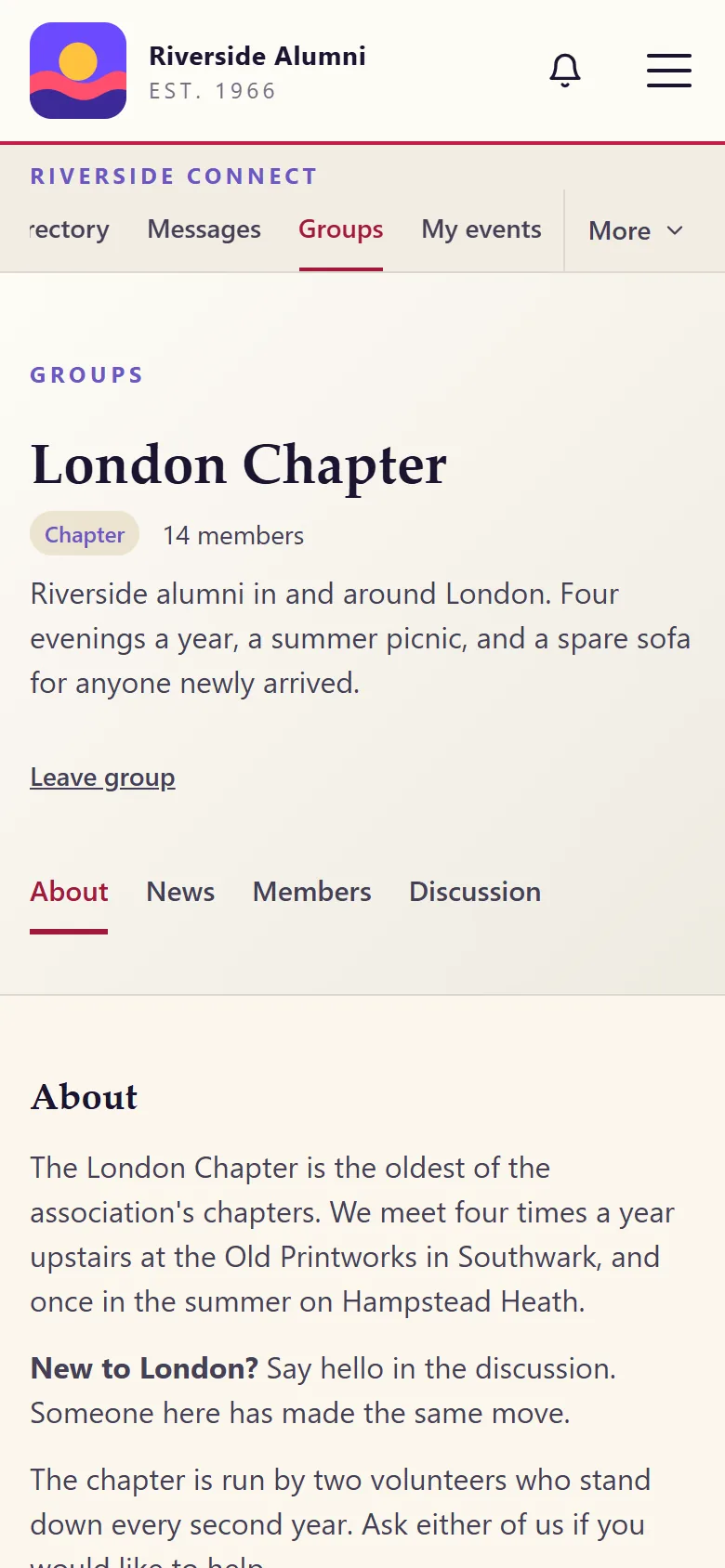
Each group has a page in the member area with tabs for what it is about, its news, its members and its discussion. Group news reaches only the group's members. Leaders propose a meetup, and the events team checks it before it goes on the calendar.

  • The leaders and the next meetup on the group's front page
  • A member leaves a group with one button
  • You can let every member propose events, or nobody

Automatic groups

Groups that fill themselves

An automatic group follows a rule you set, and gains and loses members each night as their records change. A member taken out by hand stays out, and is not added back the next night.

  • The rule is checked every night
  • A saved audience can pick out one group for an email campaign
  • Leaders are still named by the committee

Roles

Who can do what

Who does what in a group
WhoWhat they can do
A memberFind the groups they may see, join or ask to join, read the news, take part in the discussion, leave
A leaderAnswer requests, invite, name another leader, post group news, propose a meetup, write an email to the group, download the member list
The communications teamCheck and send a leader's email to the group
The events teamCheck a proposed meetup before it is published
The committeeCreate, change and archive groups, set who can see them and how people join

Not yet

What groups do not do yet.

A tag means a fix is planned. No tag means it is not.

  • Members starting their own groups: the committee creates each one
  • Sub-communities with their own branding or domain
  • More than one institution in one install: a second campus needs a second licence
  • Live chat or built-in video calls: discussion is kept on the site, and calls happen on a link you paste

FAQ

Questions chapter leaders ask

Can members start their own groups?

No. The committee creates each group and names its first leaders. From then on the leaders run it from the member area, without an admin login.

Who can see a group and who can join it?

You decide both for each group. A group is visible to anyone, to signed-in members or to its own members only. People join freely, ask and wait for a leader, or come by invitation.

Can a leader email everyone in the group?

Yes, through the communications team. A leader writes the email, the team checks it and sends it, and each group gets 2 emails in any seven days, unless you change the number. You can also let leaders send directly, or switch group emails off.

What does a leader see about the members?

The member list of their own group, as a page and as a spreadsheet unless you switch the download off. It holds only the details each member chose to show.

Open the London Chapter in the demo.

Six invented groups, from a chapter to a reunion committee. Sign in as the member to see one from the inside.

Sign-in details on the demo pageResets every night

Type a word, or start with one of these pages.

↑ ↓ moveEnter openEsc close