AlumDeck

Give · Membership & dues

Subscriptions that chase themselves.

Once you switch dues on, you set the tiers your association offers, and AlumDeck raises the invoices, sends the reminders, counts the days of grace and shows the treasurer who has paid. Members pay by card into your own account, or the way they always have.

  • 3kinds of tier: renewing, fixed term, life
  • 30days of grace, unless you change it
  • 3reminders: 30 and 7 days before, and on the day
  • 15member-area features a tier can open

How it works

From the join form to the renewal.

You set the tiers and the days once. The invoices, reminders and lists follow from them.

Tiers

Tiers that match how your association really works

A tier renews every period, runs for a fixed term or lasts for life. It is free or has a price and an optional joining fee. A period runs from the day a member joins, or follows your own membership year; with a membership year, a late joiner pays the full price or only for the months left, as you choose.

  • Choose which tiers members may pick for themselves
  • A badge on the profile for a tier, if you want one
  • Automatic renewal offered tier by tier

The member's page

Each member sees where they stand

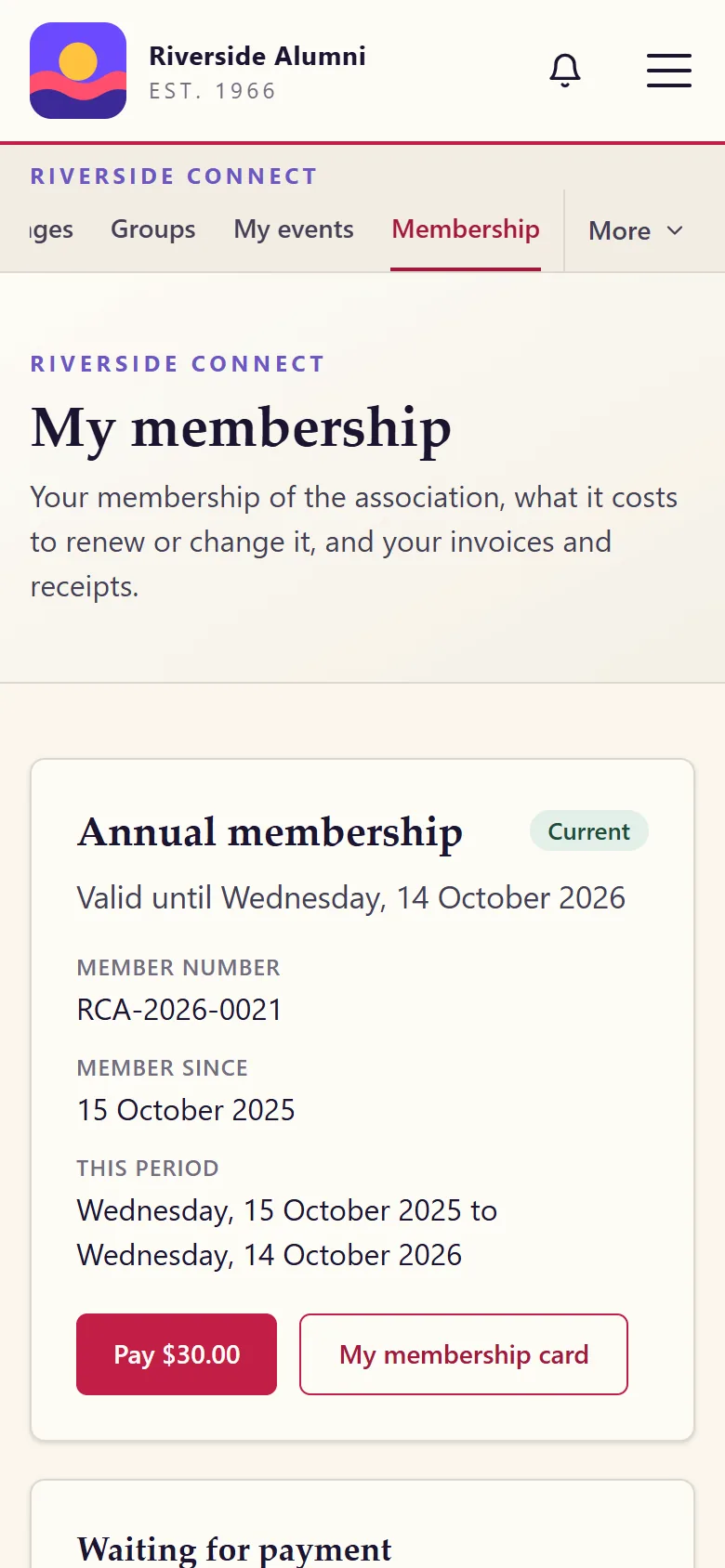
Every member has a Membership page: their tier, their member number, the dates it runs, the invoice waiting for payment and the tiers on offer. They pay by card into the association's own account, or reserve and pay later by a way you allow, such as bank transfer or cash, which the treasurer marks as paid.

  • A person who picks a paid tier on the join form is approved first, then invoiced
  • Each invoice and receipt as a page and a PDF
  • A membership card with a QR code in the member area
The member area

Renewals

Renewals nobody has to remember

Each morning AlumDeck raises the renewal invoices that are due, renews the memberships set to renew automatically and sends the reminders. A renewal invoice is raised 30 days before a membership ends, with reminders 30 and 7 days before and on the day, then 7 and 30 days after. Change any of those days in Settings.

  • 30 days of grace before a membership counts as lapsed, with access kept meanwhile unless you decide otherwise
  • An invoice is due 14 days after it is raised, unless you change it
  • An unpaid reservation is reminded after 7 days and lapses after 30

The treasurer

Who is current, who is leaving, who has lapsed

The Memberships list opens with four counts: current, ending within 30 days, in the grace period and lapsed. Add a membership by hand, import a spreadsheet of existing members, or export the list. Invoices have their own list, with a reconciliation page that sets what was invoiced against what was received.

  • Your own invoice and receipt prefixes, numbered in a yearly series
  • A tax line only if you type a tax name and rate
  • A note of your own printed on every invoice

A membership year

Start to finish, in five steps.

  1. A member joins and picks a tier

    The join form offers the tiers you marked as open to members. The committee approves the person first; nobody pays before that.

  2. The joining invoice waits on their page

    They pay by card, or reserve it for bank transfer or cash. A receipt with its own number goes out by email.

  3. The year runs

    The tier can open member-area features that other members do not get: there are 15 to choose from, among them the directory, mentoring, groups and messages.

  4. Renewal comes round

    An invoice 30 days before the end, reminders, then 30 days of grace. A member on automatic renewal is charged by the payment provider instead.

  5. The treasurer checks the books

    The four counts on the Memberships list, the invoice list and the reconciliation page show where the year stands.

Not yet

What membership dues do not do yet.

Dues, perks and the sponsor showcase each ship switched off, for you to switch on.

  • Trials, pauses and group subscriptions, and proration when a member changes tier in the middle of a period
  • Tax rules by country: the tax line on an invoice is the name and rate you type
  • Invoice and receipt PDFs tagged for screen readers: each one is also a web page
  • A tested payment provider other than Stripe for paying dues by card

FAQ

Questions membership secretaries ask

Is membership switched on when we install?

No. Membership dues ship switched off, so a new site has free membership for every approved member. Switch dues on in Settings, Modules, when the committee is ready, then add your tiers.

Can membership be free for some people and paid for others?

Yes. Each tier is free or has a price and, if you like, a joining fee. A tier can renew every period, run for a fixed term or last for life, and you choose which tiers members may pick for themselves.

What happens when someone does not renew?

A renewal invoice is raised 30 days before the membership ends, and reminders go 30 and 7 days before and on the day. After the end date the member has 30 days of grace, keeping their access unless you decide otherwise, before the membership counts as lapsed. Every one of those numbers is a setting.

Can a member pay before the committee has approved them?

No. A person who picks a paid tier on the join form is approved first. Their joining invoice then waits on their Membership page, to pay by card or by a way you allow.

Does it handle tax on membership fees?

Only what you type in: a tax name, a rate, whether prices include it, and your tax number, printed on the invoice. AlumDeck ships no tax rules of its own, because every country has different ones.

Open a membership page in the demo.

Sign in as the administrator and open People, Memberships: the current, the ending, the ones in their grace period and the lapsed, all of them invented.

Sign-in details on the demo pageResets every night

Type a word, or start with one of these pages.

↑ ↓ moveEnter openEsc close