AlumDeck

Guide · technical, no terminal needed

Install alumni management software on shared hosting.

If you can create a database and extract a zip in your host's file manager, you can put a complete alumni site on ordinary shared hosting, the kind of web hosting plan many associations already pay for, as long as the plan offers what AlumDeck needs. This is the whole process for release 2.0.0: the checklist for your host, thirteen steps with cPanel as the worked example, and the parts that go wrong. About fifteen minutes on a healthy host.

Before you buy or upload anything

What your hosting plan needs to run AlumDeck.

AlumDeck is built for ordinary shared hosting, but not every plan offers all of this. Send the table to your host, or tick it off against the plan's own description. The full technical table is on the download page.

What your hosting plan needs: a checklist to send your host
Your plan needsIn plain wordsAsk your host
PHP 8.3, 8.4 or 8.5The language AlumDeck is written in. Any other version is refused, with a page that says what to change.Which PHP versions can I choose for my domain?
The ionCube LoaderAlumDeck's own PHP code is encoded, and this free add-on to PHP is what lets a server run it. Nothing runs without it.The question is written out under this table.
The sodium and intl PHP extensionsTwo of the 16 PHP extensions AlumDeck requires, and the two the steps ask you to switch on. sodium checks that the licence server's answers are genuine; without intl the admin's bulk actions stop with an error.Can I switch PHP extensions on myself, and are sodium and intl among them?
MySQL 8.0 or newer, or MariaDB 10.6 or newerThe database. You need one empty database, and a user with all privileges on it.Which database version does my plan run, and can I create a database and a user?
Apache or LiteSpeed, with .htaccessThe web server. AlumDeck ships an .htaccess file that carries its security headers, and the server has to read it.Is my site served by Apache or LiteSpeed, and does it read .htaccess files?
A scheduled task every minuteAlso called a cron job. Email campaigns, event reminders, digests, invitations and the nightly backup all wait for it.Can a scheduled task (a cron job) run every minute on my plan?
Outbound HTTPS to alumdeck.comThe installer checks your licence key with our server, and a running site asks about twice a day afterwards.Can my site make outbound HTTPS requests to alumdeck.com?
Disk spaceThe zip is about 26 MB and unpacks to about 80 MB. Add room for your uploads and, if you keep them on the server, the nightly backups.How much disk space does my plan include?
A file manager, or FTPTo upload the zip and extract it. No shell (SSH) access is needed, to install or to update.Can I upload a zip to my account and extract it there?
PHP's exec() functionNeeded for backups. The nightly backup calls mysqldump and tar through it; where a host switches it off, AlumDeck makes no backups and you rely on the host's own.Is PHP's exec() function allowed on my plan?

The question to ask about the ionCube Loader

The loader is the one requirement worth asking about before you buy. Copy this to your host's support desk:

Can I switch on the ionCube Loader for PHP 8.3, 8.4 or 8.5 on my plan? I need it for my website, and also for the command-line PHP that scheduled tasks (cron jobs) run.

Both halves matter: some hosts set the two up separately, and without the second the scheduled task stops with a line saying so. On most cPanel hosts the loader is a tick box you can reach yourself; elsewhere the host may have to switch it on for you. The loader itself is free.

Not on cPanel?

If your host does not use cPanel, the same jobs have other names.

The layout, the thirteen steps and the fixes on this page use cPanel: it is the control panel we install and test on, and a common one on shared hosting. What AlumDeck needs is the checklist above, not cPanel itself. On another panel the same screens have other names: the PHP version and extensions, the databases, the file manager and the scheduled tasks. Your host can point you to them.

Four things on this page are cPanel's habits, and may differ on your host:

  • Names with a prefix. cPanel puts your account name in front of database and user names. Elsewhere, copy the names exactly as your panel shows them.
  • The web folder. cPanel calls it public_html and keeps each domain's document root inside it. Your host may use another name, or let you choose the document root yourself, which is the simpler of the two layouts below.
  • The path to PHP in the cron line. The sample line uses the path that is usual on cPanel. Once AlumDeck is installed, the admin shows the exact line for your server under System, Backups, Scheduled tasks.
  • The Sunday restore test. On cPanel, AlumDeck makes the scratch database for the test through cPanel's own tools. Elsewhere it tries to create one directly; if your database user is not allowed to, the test fails until you create an empty database in your control panel and pass its name to the restore command (--scratch-db).

Step zero

What you need in front of you before you start.

Installs go badly when one of these is missing and nobody notices until halfway through.

Seven things to have ready
You needDetailsWhere to find it
A shared hosting planOne that meets the checklist above. You will use five of its screens: the file manager, the databases, the domains, the PHP version and extensions, and the scheduled tasks. In cPanel they are File Manager, MySQL Databases, Domains, Select PHP Version and Cron Jobs.Your host's control panel
PHP 8.3, 8.4 or 8.5, with the ionCube LoaderAlumDeck's own PHP code is encoded, so it needs the free ionCube Loader: usually a tick box (ioncube_loader) under Extensions. Tick sodium and intl there too. Any other PHP version, or a missing or older loader, is refused with a page that says what to change.In cPanel: Select PHP Version
MySQL 8.0 or newer, or MariaDB 10.6 or newerOne empty database and a user with all privileges on it. The installer warns about an older server.In cPanel: MySQL Databases
A domain or subdomainalumni.riverside.edu is the usual shape. Turn on the free SSL certificate before anyone types a password.In cPanel: Domains
Your licence key36 characters with four dashes, in the purchase email with your download link. It covers one site: run the installer at the address the site will use.Your inbox
Outbound HTTPSScreen one checks the key with alumdeck.com, and a running site asks about twice a day afterwards. Some shared hosts block outbound requests until you ask.Ask your host, before you buy or if screen one cannot connect
Disk spaceThe zip is about 26 MB and unpacks to about 80 MB. Add room for your uploads and, if you keep them on the server, the nightly backups.In cPanel: Disk Usage

The one thing to get right

The layout on your server keeps secrets out of reach.

The application, including the .env file that will hold your database password, sits outside anything a browser can reach. Only its public folder is served.

/home/youraccount/
  alumdeck/                  the application, never served
    public/                  the only part a browser should see
  public_html/
    alumni.riverside.edu/    the document root cPanel gave your domain

There are two ways to connect the domain to the application, and your host decides which one you can use.

If your host lets you choose the document root

Point the domain straight at /home/youraccount/alumdeck/public and leave index.php alone. Try this first: it is one less thing to keep in step at every update.

If cPanel keeps the document root under public_html

Most cPanel accounts do, and quietly rewrite any other path you type. Then copy the contents of alumdeck/public/ into the document root, and change three lines of its index.php so they reach back into the application folder. Count how many folders the document root sits below your home directory, and use that many ../. For public_html/alumni.riverside.edu that is two:

if (file_exists($maintenance = __DIR__.'/../../alumdeck/storage/framework/maintenance.php')) {
    require $maintenance;
}
require __DIR__.'/../../alumdeck/vendor/autoload.php';
$app = require_once __DIR__.'/../../alumdeck/bootstrap/app.php';

The ionCube Loader check in index.php finds the application through the first of these lines, so change only the paths and keep $maintenance as it is. Get the count wrong and you see a 403 or a blank page. It is the step people get wrong, and it is always the number of ../.

The install

Thirteen steps, in this order.

Four jobs in the control panel, six screens in a browser, and three jobs straight afterwards that decide whether the site actually works.

  1. Create an empty database and a user

    In MySQL Databases, create the database, create a user with a long password, then add the user to the database with All Privileges. Creating both is not the same as connecting them. Copy the full names down: most hosts add your account name as a prefix.

  2. Set the PHP version and tick the ionCube Loader

    In Select PHP Version, put the domain on PHP 8.3, 8.4 or 8.5. Under Extensions, tick ioncube_loader, sodium and intl, and save. AlumDeck's own PHP code is encoded, so nothing runs without the loader; sodium is what checks that the licence server's answers are genuine.

  3. Upload the zip to your home directory

    In File Manager, open your home directory, not public_html. Upload alumdeck-2.0.0.zip (about 26 MB) and use Extract. You get a folder called alumdeck. Nothing needs Composer and nothing needs building: the libraries, the stylesheet and the scripts are already inside.

  4. Create the domain and connect it

    Add the subdomain in Domains and switch on SSL. Then connect it to the application using one of the two layouts above.

  5. Open the address

    Visit the domain. With nothing configured yet, AlumDeck sends you to /install. A 403 or a blank page here almost always means the ../ count.

  6. Screen 1: your licence key

    Paste the key. It is checked with alumdeck.com, sending the key, the product name, the address you are installing at and a one-time random number, and nothing else. That address is registered as the one site the key covers; www. and the bare domain count as one.

  7. Screen 2: the server check

    Every requirement, checked live, each a tick or a cross with a plain-English explanation. Red must be fixed; amber is recommended but optional. Nothing has been written yet, so change a setting in your control panel, reload and try again as often as you need.

  8. Screen 3: the database

    Host (localhost on almost every shared host), port, database, user and password. The installer opens a real connection, then creates and drops a probe table, so a user who can connect but not create tables fails here, not halfway through. It also warns you if the server is older than MySQL 8.0 or MariaDB 10.6.

  9. Screen 4: your site and the first admin

    Your association's name, the site address (the one you are installing at), your timezone, and the first administrator. Use your own email, not a shared inbox, and a password of at least twelve characters.

  10. Screens 5 and 6: review, install, done

    The review screen shows everything you entered and has an add sample content box, ticked by default: leave it for a first look, untick it for the real site. Install writes .env (you never edit it by hand), creates the tables and your account, adds templates for your privacy and terms pages, and makes a real uploads folder inside the document root, not a symlink, which shared hosts often refuse to serve. It then checks that an uploaded file is really served, and the last screen lists what was done and what to do next. If a step fails, fix the problem and you land on the screen that failed, not back at the beginning.

  11. Set up mail and send a test

    Until you set up mail, AlumDeck writes emails to a log file and sends nothing, so a half-configured install cannot post mail to strangers. Create a mailbox in your control panel, then in the admin open Settings, Email, choose an SMTP server (or this server's own sendmail), fill in the details and press Send a test email. The password is stored encrypted. Two-factor sign-in for staff is on by default and starts as soon as email works: the next time you sign in you are asked to set it up.

  12. Add the cron line

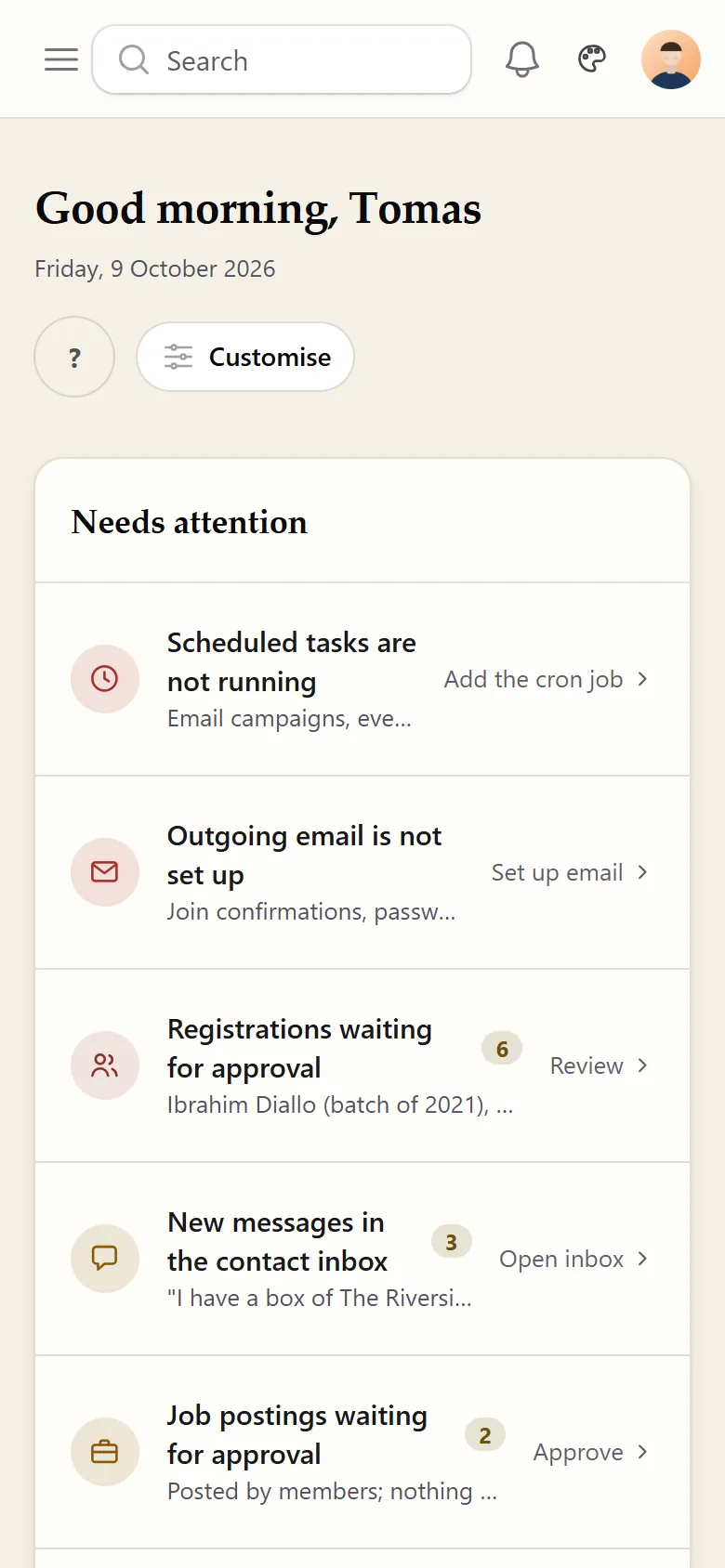
    In Cron Jobs, add one entry that runs every minute and calls artisan schedule:run. The line is just below these steps, and the exact one for your server is shown in the admin under System, Backups, Scheduled tasks. Without it, email campaigns, event reminders, birthday greetings, digests, invitations, automations and the nightly backup never run. Nothing looks broken at first; the dashboard's Needs attention list tells you until it is in place.

  13. Check the door is shut

    Visit /install on your address: it should return a plain 404. Then check that /.env returns nothing. The installer switches itself off for good once an administrator exists, so there is no install folder to delete.

The cron line, for step twelve

Change the account name and the PHP path to match your hosting. Both the full path to PHP and -d register_argc_argv=1 matter: without them cPanel's cron PHP ignores the command name, prints a list and exits as if it had worked. That command-line PHP needs the ionCube Loader too, and some hosts set it up separately from the website's.

* * * * * cd /home/youraccount/alumdeck && /usr/local/bin/php -d register_argc_argv=1 artisan schedule:run >> /dev/null 2>&1

Your first hour

A working site with nothing in it. This order saves rework.

Sign in at /admin

Nine things, in this order

Sign in with the account you made on screen four. The dashboard shows a Getting started list that ticks itself off as you go. Then:

  • General: your association's name, used in page titles, emails and the browser tab, and the year you were founded
  • Logo and branding, Theme and colours: logo, square mark, favicon and four colours; nothing to rebuild
  • Wording: your own words for a year group, a member and the association
  • Modules: switch off what you will not run yet; nothing is deleted, and the menus and the sitemap follow the switches
  • Pages: replace the privacy and terms templates, each of which opens with a note to you
  • Users: give each committee member only the areas they need, out of 13, at view, edit or manage level
  • Two-factor sign-in: on for staff by default, and you are asked to set it up once email works
  • SEO: a title and a description for the homepage, About and Join
  • Tomorrow morning: the Backups page should list last night's run
The settings, screen by screen

When it does not work

The problems people actually hit, and their fixes.

Each starts with what you see, because that is what you have. Where a fix names a screen, it is cPanel's.

A blank white page before the installer appears

Almost always a PHP function the framework needs before it can draw any page, such as token_get_all or openssl_encrypt: either its extension is not ticked, or the host switched the single function off. AlumDeck checks for them before the framework starts, so you normally get a page called "AlumDeck cannot start on this server" that names the function and its extension. If you truly get nothing, check in Select PHP Version that the domain runs PHP 8.3, 8.4 or 8.5 with the ionCube Loader ticked under Extensions.

A page says the PHP version or the ionCube Loader is wrong

That check runs before anything else. AlumDeck's own PHP code is encoded, so it needs the ionCube Loader, on PHP 8.3, 8.4 or 8.5. In cPanel open Select PHP Version, choose one of those versions, tick ioncube_loader under Extensions and save. If the box is not there, ask your host to install the current loader; it is free.

Screen one cannot reach the licence server

Your server cannot make outbound HTTPS requests. Ask your host to allow them from your account to alumdeck.com. There is no offline path: a key can only be checked against the licence server.

Screen one says the licence server's answer could not be checked

The site believes only answers our server signed, and this one did not prove itself. Either something between you and us changes the answer, such as a proxy or a firewall that rewrites HTTPS, or the sodium PHP extension is off. Ask your host to let alumdeck.com through untouched, and tick sodium in Select PHP Version.

The licence key is not recognised

Check it against your purchase email: 36 characters with four dashes, and no space at the end. If it still fails, send it to us through the contact form.

The key is already in use on another address

One key, one site, and the site is its address. Either you already installed it somewhere, and a test install on your own computer counts, or you are installing at a new address. Release the key from the old address first, on the release page at alumdeck.com/api/licence/release-site.php: you enter the key, and a confirmation link, valid for 60 minutes, is emailed to the address the licence was bought with. A public address can be moved once every 30 days; a test install on your own computer is released as soon as you confirm. Then run the installer again. A new server at the same address is the same site and needs no release.

The database step rejects details you know are right

On cPanel the real names carry your account prefix, so copy them exactly as MySQL Databases shows them. Check the user is added to the database with All Privileges, and use localhost as the host. If it connects but the probe table fails, the user lacks the create privilege.

A folder is not writable

Set the named folder to 755 with Recurse into subdirectories ticked. Do not use 777. If it still fails, the folder belongs to another user, and that is one for your host.

A 403 or a blank page after connecting the domain

Nearly always the number of ../ in index.php. Count the folders between your home directory and the document root again. Or the document root is serving the wrong folder: it must hold the contents of alumdeck/public.

The site loads with no styling

The stylesheet is not being served. If you copied public/ into your document root, check that css/site.css, js/site.js and js/alpine.min.js came across. Open your address followed by /css/site.css: you should see the stylesheet, not an error page.

Photos upload but do not display

Open one uploaded image's address directly. A 404 means PUBLIC_DISK_ROOT in .env is not a folder inside your document root. A 403, or your host's own page, means the address is blocked: set PUBLIC_DISK_URL to an address that is not /storage.

The admin sign-in says the captcha field is required

Only one of the two Cloudflare Turnstile keys is set. Set both, or clear both, on Settings, Security. Once either box on that page is filled, the Turnstile lines in .env are no longer read.

/install still loads after installing

It should not: the installer shuts itself once an administrator exists. Either no administrator was created, or APP_INSTALLED=true is missing from .env. Check the users table in phpMyAdmin for a row with is_admin set.

Questions

What people ask before they start

Do I need a developer to install it?

No. Creating a database and extracting a zip are the same two jobs as installing any website software, the index.php edit is three lines, and the rest is a form. If you would rather hand it over, anyone who is at home in a hosting control panel can follow this page from top to bottom.

Will it run on cheap shared hosting?

Yes, that is what it was built for, as long as the plan meets the checklist at the top of this page: PHP 8.3, 8.4 or 8.5 with the ionCube Loader, MySQL 8.0 or MariaDB 10.6 or newer, Apache or LiteSpeed, and a scheduled task every minute. Not every cheap plan does, so ask before you buy. You will feel the limits of a small plan on photo-heavy gallery pages long before member records, because AlumDeck keeps every uploaded photo at the size it arrived and adds smaller copies for the pages.

Can I rehearse the install before going live?

Yes, on the address you will use. Install with the sample content ticked, try everything, then start again: drop the database, delete the files and begin at step one. The key accepts a reinstall on the same address as often as you like. A rehearsal on your own computer (localhost, or a .test or .local name) counts as the key's one site, so release the key before you install for real; a local install is released as soon as you confirm the emailed link. The licence covers one site and does not include a staging copy.

How long does it really take?

About fifteen minutes on a healthy host, most of it uploading. An afternoon if you need your host to move you to PHP 8.3, 8.4 or 8.5 or to switch on the ionCube Loader, which are the steps outside your control.

What if my host cannot meet the requirements?

Send us the server check screen through the contact form. It names the exact requirement, and most failures are one support ticket to your host. If it still will not run, the 14-day money-back guarantee on a first purchase covers you.

See the finished result before you install.

Sign in as an admin or a member and click anything. Nothing you do can break it.

Sign-in details on the demo pageResets every night

Type a word, or start with one of these pages.

↑ ↓ moveEnter openEsc close